
CMake is a cross-platform, open-source software tool used to automate the building, testing, packaging, and installation of software. It is independent of the programming language and tools used although it is most commonly used to with C, C++, and most recently Fortran code. CMake is particularly nice since it determines for a number of programming languages the dependencies between various files, e.g., header and source files, in order to properly build the software/documentation and to minimize the amount of work required to build such. This course will introduce CMake as well how to write, run, and test CMake scripts. Especially if you are manually building your programs by hand or are experiencing difficulties using shell scripts, it is worth exploring how to use tools such as CMake to make this much easier and much less error-prone to do.
Live online classes will take place on Tues. Sept. 29 and Thurs. Oct. 1 from 1 P.M. to 2 P.M. Eastern Time. Recordings of live classes will be available afterwards in this course for self-paced learning and review.
This self-paced online course is an introduction to GPU programming, focusing on OpenACC. The course consists of two parts, with each part containing three sections. We will start by discussing GPU architectures and basic principles of programming GPUs. Then we will introduce basic OpenACC constructs using simple code examples: SAXPY, Julia set, reduction, and Jacobi solver. A significant attention will be given to making the code efficient. The course has a programming assignment at the end. Submitted assignments will be graded by the instructors. If your assignment fared well, you will get a certificate for the course completion.
Live online classes will take place on Tues. Oct. 6, Fri. Oct. 9, Tues. Oct. 13, and Fri. Oct. 16 from 1 P.M. to 2 P.M. Eastern Time. Recordings of live classes will be available afterwards in this course for self-paced learning and review.
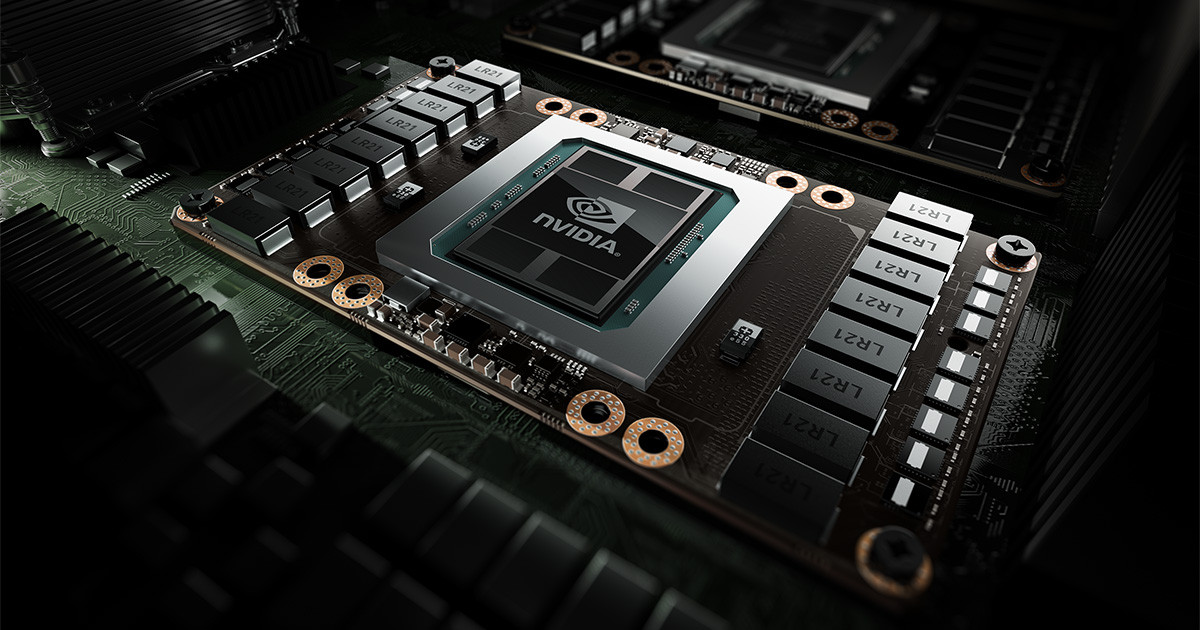
This online self-paced course provides basic training for Alliance users on using GPUs on our national systems. Modern GPUs (such as NVIDIA A100 and H100) are massively parallel and very expensive devices. Most of GPU jobs are incapable of utilizing these GPUs efficiently, either due to the problem size being too small to saturate the GPU, or due to the intermittent (bursty) GPU utilization pattern. This course will teach you how to measure the GPU utilization of your jobs on our clusters, and show how to use the two NVIDIA technologies - MPS (Multi-Process Service) and MIG (Multi-Instance GPU) - to improve GPU utilization.
Live online classes will take place on Tues. Oct. 20 and on Friday, Oct. 23 from 1 P.M. to 2 P.M. Eastern Time. Recordings of live classes will be available afterwards in this course for self-paced learning and review.
Python has become one of the most popular programming languages in scientific computing. It is high level enough that learning it is easy, and coding with it is significantly faster than other programming languages. However, the performance of pure Python programs is often sub-optimal, and might hinder your research. In this course, we will show you some ways to identify performance bottlenecks, improve slow blocks of code, and extend Python with compiled code. You'll learn about various ways to optimise and parallelise Python programs, particularly in the context of scientific and high performance computing.
Prerequisite knowledge: Know what classes and functions are; familiarity with Jupyter Notebook; basic console use; and comfortable with Python software carpentry material.
Live online classes will take place on Tues. Oct. 27, Fri, Oct. 30, Tues. Nov. 3, and Fri. Nov. 6 from 1 P.M. to 2 P.M. Eastern Time. Recordings of live classes will be available afterwards in this course for self-paced learning and review.
AI coding agents can produce what feels like an infinite amount of code, extremely quickly. In research, that is only useful if we can trust the result.
This course presents an introduction to agents, and a practical approach to using them in research-code workflows without assuming their output is reliable. We will follow a working example from raw data through cleaning, validation, analysis, and visualization, identifying where subtle errors can occur and how we might catch them. The goal is not to delegate scientific thinking or judgment to an agent. Instead, we will use agents to cheaply produce sanity checks, diagnostic plots, test cases, and other supporting work that is often expensive in time or expertise to create.
We will then extend this example into reusable patterns for notebooks, shared pipelines, SLURM jobs, and other research-computing workflows. Along the way, we will introduce practical concepts such as context, workflow memory, skills, automated checks, and human-in-the-loop review.
Lastly, we will explore getting a coding agent safely deployed and sandboxed on Nibi cloud for attendees to explore.
No prior experience with AI coding agents is required.
Live online classes will take place on Tues. Nov. 10 and Fri. Nov. 13 from 1 P.M. to 2 P.M. Eastern Time. Recordings of live classes will be available afterwards in this course for self-paced learning and review.

This course is two one-hour lectures designed to get engineering students to the spot where they can run engineering software on the Canadian supercomputers. The first lecture will cover the basics of the open-source OpenFOAM program: how to access it, setting up and running a simple simulation, how to run it in parallel, and how to use ParaView to visualize the results. The final lecture will be the same (running a basic simulation on the cluster), but this time using the proprietary Ansys program. By the end it is expected the student will have some idea of what supercomputers are, what they can and cannot do, how to get access to them, and how to use them.
Live online classes will take place on Tues. Nov. 17 and Fri. Nov. 20 from 1 P.M. to 2 P.M. Eastern Time. Recordings of live classes will be available afterwards in this course for self-paced learning and review.
Jupyter Notebook is commonly used for interactive computing in Python. This workshop provides the options and features for working with Jupyter on the Digital Research Alliance of Canada's remote computing clusters and demonstrates several use case examples on the clusters. During hands-on time, students can practice on the clusters with the available example notebooks or any of their existing notebooks.
Live online classes will take place on Tues. Nov. 24 and Fri. Nov. 27 from 1 P.M. to 2 P.M. Eastern Time. Recordings of live classes will be available afterwards in this course for self-paced learning and review.
Tidyverse is a curated set of polished R packages for doing data science that cover the same space as python's numpy, pandas, and matplot libraries. The experience is more refined though due to their exceptional quality, common design philosophy, and grammar. This course is an introduction to tidyverse through real-life worked examples.
Live online classes will take place on Tues. Dec. 1, Fri. Dec. 4, and Tues. Dec. 8 from 1 P.M. to 2 P.M. Eastern Time. Recordings of live classes will be available afterwards in this course for self-paced learning and review.
The majority of computational work on the Digital Research Alliance of Canada (DRAC) compute clusters is achieved by submitting jobs to the Slurm scheduling software. The scheduling software is what researchers use to access the vast and diverse compute nodes made available by DRAC. The scheduling software is also responsible for how fairness of the access to resources is achieved on these clusters that are freely available to all academic researchers in Canada. This course introduces the role of the scheduler on compute clusters before covering topics on its use. Beyond the general content of using a Slurm scheduler this course covers topics that are specific to the DRAC scheduling environment configuration and offers strategies for getting the most out of the national clusters.
Live online classes will take place on Fri. Dec. 11, Tues. Dec. 15, and Fri. Dec. 18 from 1 P.M. to 2 P.M. Eastern Time. Recordings of live classes will be available afterwards in this course for self-paced learning and review.
A Practical Guide to Windows Subsystem for Linux (WSL)
Unlock the full potential of Linux on Windows with this two-part course on Windows Subsystem for Linux (WSL). Whether you're a developer, system administrator, or researcher, this course will guide you through deploying, configuring, and leveraging WSL for seamless Linux integration on your Windows machine.
What You'll Learn
- Introduction to WSL – Understand what WSL is, why it exists, and how it compares to alternatives like Cygwin, MobaXTerm, virtual machines, and dual-boot setups.
- Installation & Setup – Learn how to install and update WSL, configure system requirements, and switch between WSL 1 and WSL 2.
- Managing Linux Distributions – Explore how to install, list, switch, export, and unregister Linux distributions in WSL.
- WSL Commands & CLI Integration – Use essential WSL commands to interact with Windows and Linux seamlessly.
- Running Windows & Linux Applications Together – Learn how to execute Windows programs from Linux and Linux programs from Windows.
- WSL & Docker – Integrate Docker with WSL 2 to optimize containerized development workflows.
- File Sharing – Access Windows files from Linux and use WSL for remote desktop applications.
- Development & Tooling – Set up development environments, run graphical applications, and optimize your workflow using WSL.
Who Should Take This Course?
Researchers looking to use Linux tools without leaving Windows. Developers managing Linux-based workflows on Windows systems. Anyone interested in running Linux on Windows efficiently. By the end of this course, you'll be able to confidently use WSL for development, system administration, and everyday Linux workflows, unlocking the best of both operating systems.
When Will This Course Take Place?
Live online classes will take place on Tues. Jan. 12 and Fri. Jan. 15 from 1 P.M. to 2 P.M. Eastern Time. Recordings of live classes will be available afterwards in this course for self-paced learning and review.
This C++ course discusses how to leaverage ISO C++'s Standard Library in high performance computing programs as there have been a number of features added in the C++20, C++23, and C++26 standards. Even better some of these features can be used using a number of
compiler toolchains without having to use the latest C++ standard.
- Class 1: Overview of Some Useful HPC Features:
e.g., <numbers>, <format>, <print>, <stdfloat>, <flat_map>, <flat_set>, <inplace_vector> - Class 2: Overview of Concepts, Ranges and Debugging Features
- Class 3: Multidimensional Arrays and Linear Algebra
- Class 4: Overview of RCU, Hazard Pointers, SIMD, and Reflection
Live online classes will take place on Tues. Jan. 19, Fri. Jan, 22, Tues. Jan. 26, and Fri. Jan 29 from 1 P.M. to 2 P.M. Eastern Time. Recordings of live classes will be available afterwards in this course for self-paced learning and review.
PyTorch is one of the most popular deep learning frameworks in use today. In this course, we will learn how to get the most out of our PyTorch code when using HPC resources. Topics covered include profiling and debugging PyTorch code, different types of parallelism in PyTorch, and hyper-parameter tuning using HPC resources.
Live online classes will take place on Tues. Feb. 2, Fri. Feb. 5, Tues. Feb. 9, and Fri. Feb. 12 from 1 P.M. to 2 P.M. Eastern Time. Recordings of live classes will be available afterwards in this course for self-paced learning and review.
This course introduces Retrieval-Augmented Generation (RAG), a practical approach that combines large language models with information retrieval to produce answers grounded in trusted sources rather than relying solely on the model’s internal knowledge.
In this course, we build and explore a complete RAG pipeline through practical examples and live demonstrations. We cover how documents are prepared for retrieval, how retrieval can be improved for more accurate and complete results, and how to evaluate whether a RAG system’s answers are actually grounded and trustworthy rather than simply plausible.
Live online classes will take place on Tues. Feb. 16, Fri. Feb. 19, and Tues. Feb. 23 from 1 P.M. to 2 P.M. Eastern Time. Recordings of live classes will be available afterwards in this course for self-paced learning and review.

ParaView is a very powerful temporal 3D visualization program. The Graham VDI and JupyterHub systems provide a remote desktop interface for doing graphical pre- and post-processing on files stored on graham. This course consists of a general introduction to the Graham VDI and JupyterHub systems and ParaView via a live demonstration that you can follow along. There will be small exercises where you get a chance to see if you have actually understood the concepts.
Live online classes will take place on Fri. Feb. 26 and Tues. Mar. 2 from 1 P.M. to 2 P.M. Eastern Time. Recordings of live classes will be available afterwards in this course for self-paced learning and review.
This course's sessions will present and discuss how to use containers on Digital Research Alliance of Canada's compute clusters with Apptainer and will discuss how to build Apptainer container images.
Live online classes will take place on Fri. Mar. 5 and Tues. Mar. 9 from 1 P.M. to 2 P.M. Eastern Time. Recordings of live classes will be available afterwards in this course for self-paced learning and review.
This is a course focused on advanced research computing literacy, designed for graduate students who are preparing to utilize high-performance computers in their research. The course does not assume any prerequisites, but prior knowledge in scientific computing and some exposure to computers would be beneficial.
Comprising multiple sections, this course covers a broad range of topics at an introductory level. It begins with an overview of what constitutes a supercomputer and introduces the available supercomputing resources across Canada. Subsequent sections delve into the fundamentals of modern computer architecture, scientific computing, parallel computing, GPU utilization, and extend to topics such as relational databases and visualization techniques. Each section serves as an introduction and guide, directing learners to related in-depth courses for further exploration.
Live online classes will take place from Tues. Mar. 16 to Thurs. April 15 from 1 P.M. to 2 P.M. (NOTE: Other courses are on Tuesdays and Fridays but this course does not --this course takes place on Tuesdays and Thursdays.) The actual dates and times the sessions of this course are:
- Tues. Mar. 16 and Thurs. Mar. 18 from 1 P.M. to 2 P.M. Eastern Time.
- Tues. Mar. 23 and Thurs. Mar. 25 from 1 P.M. to 2 P.M. Eastern Time.
- Tues. Mar. 30 and Thurs. Apr. 1 from 1 P.M. to 2 P.M. Eastern Time.
- Tues. Apr. 6 and Thurs. Apr. 8 from 1 P.M. to 2 P.M. Eastern Time.
- Tues. Apr. 13 and Thurs. Apr. 15 from 1 P.M. to 2 P.M. Eastern Time.